Neon Abyss 2 Item Sets: Check Active Bonuses (1.0)
Check Neon Abyss 2 item-set bonuses with four annotated PC 1.0 screenshots. Read set tooltips, item tags, and weapon modifiers before planning your next build.
10/11/2026 1.0 NA2 Wiki Editors Last updated: 10/11/2026 4 min read
PC 1.0 REFERENCE · Official release notes + attributed unofficial PC data. Source policy
Editorial recommendations are marked in the guide; console patches may differ.
FAQ
Where can I check item-set bonuses in Neon Abyss 2?
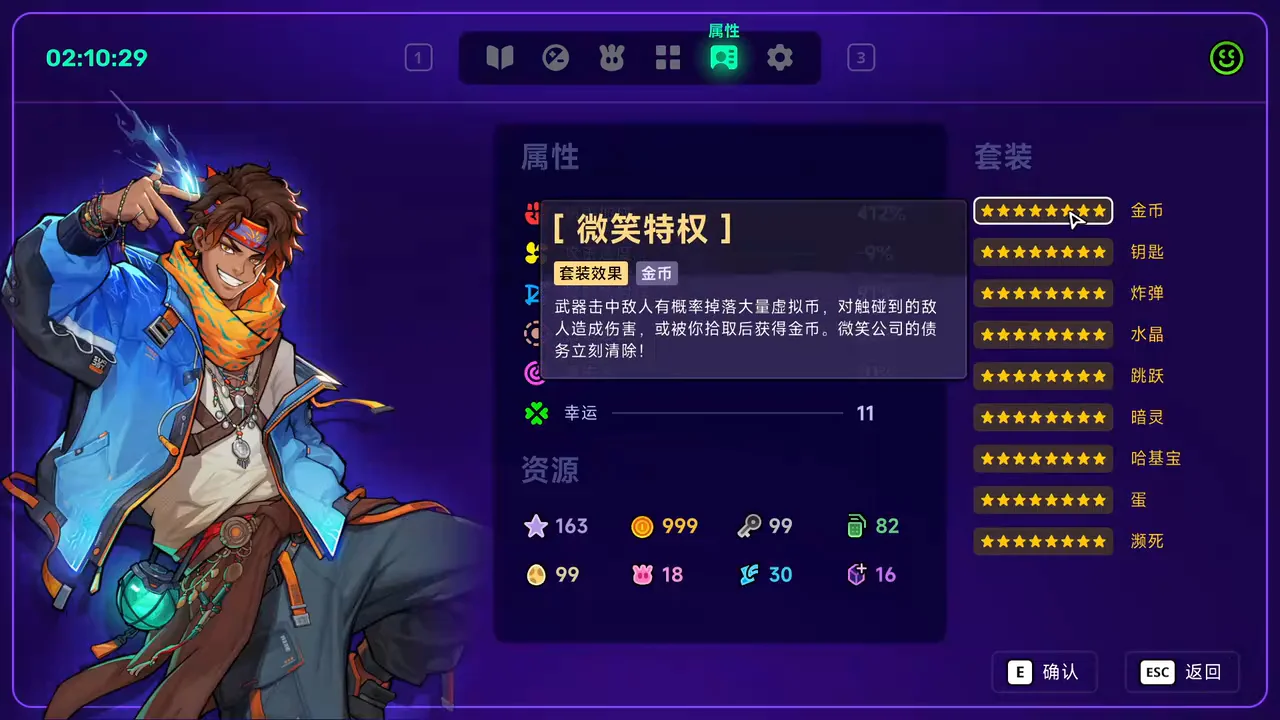
The recorded PC 1.0 interface lists set categories and star indicators on the right of the Attributes panel. Selecting a category shows its set-effect tooltip.
Which set categories appear in this recording?
The Chinese PC 1.0 interface displays coins, keys, bombs, Crystals, jumping, wisps, Hatchmon, eggs, and Death’s Door. These are descriptive translations of the visible labels.
How can I tell which set an item belongs to?
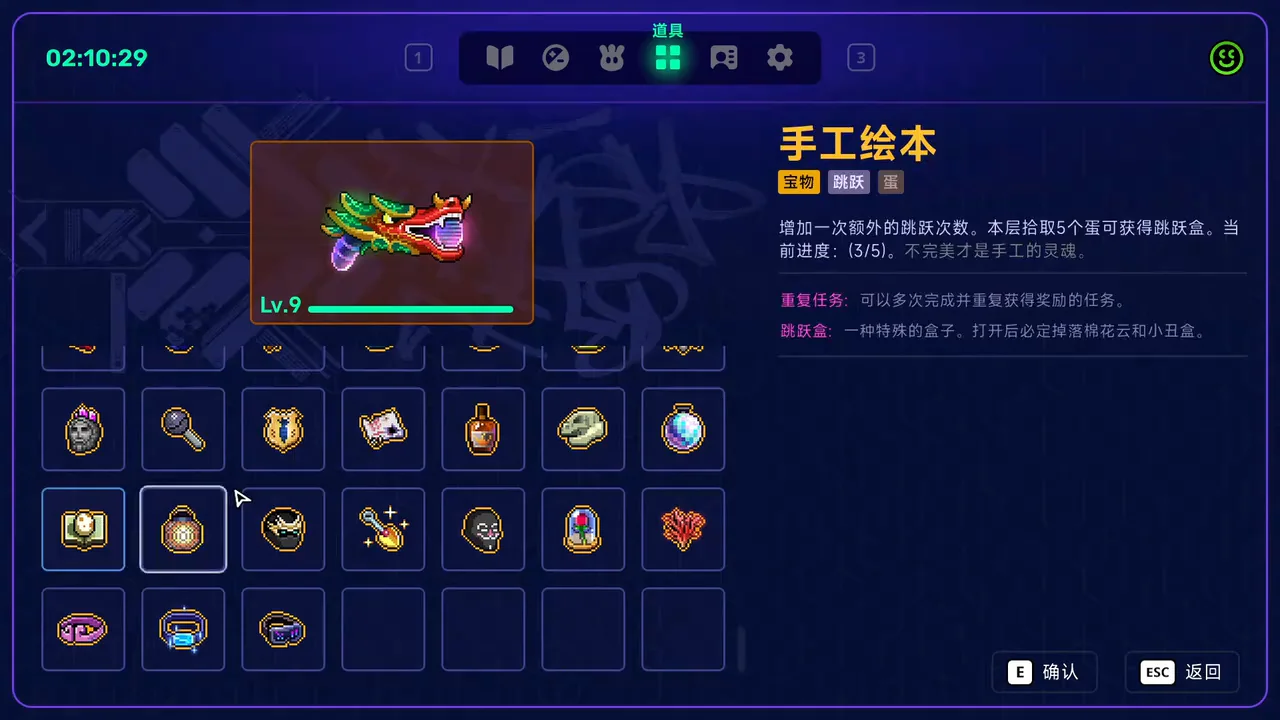
Inspect the item in the Items panel. Its tooltip includes category tags. The pictured handmade picture book has both jumping and egg tags.
Does this video prove that collecting every set is the strongest build?
No. The creator recorded an unusually full collection late in one run. The clip does not compare damage, acquisition odds, survival, or the cost of building those sets.
Are weapon modifiers the same as item-set effects?
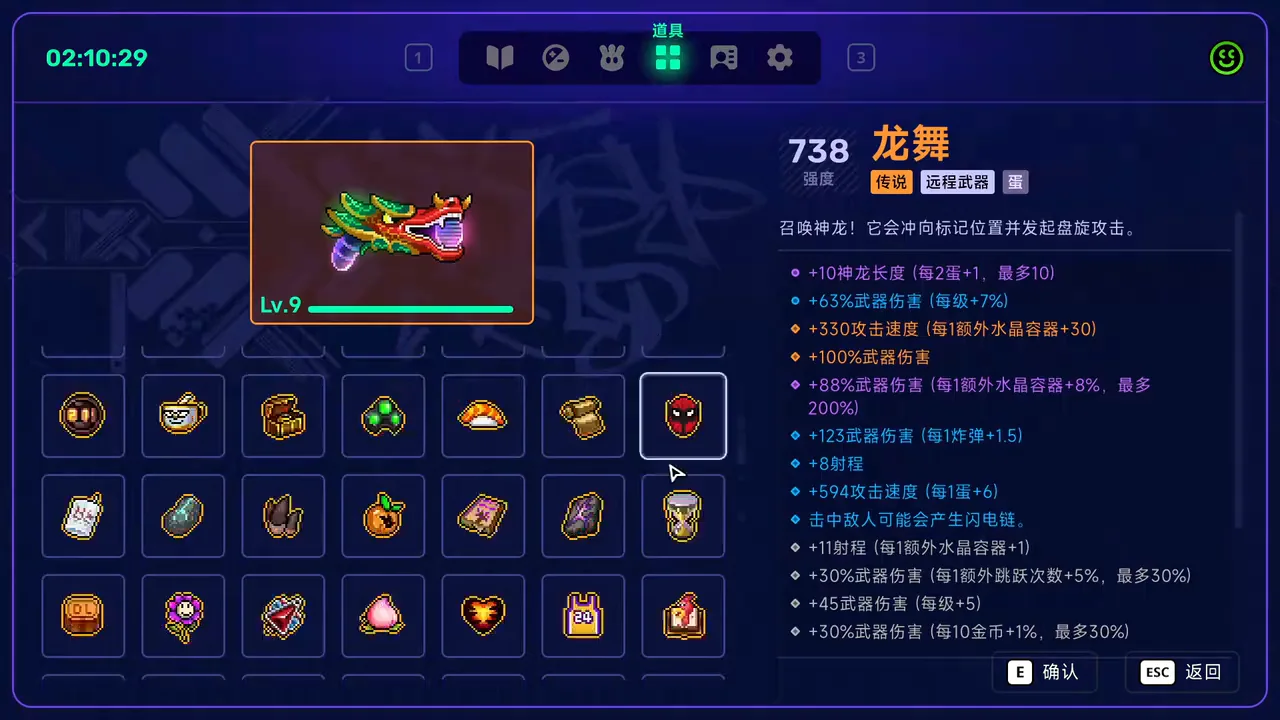
They appear in different places in this demonstration: set effects in the Attributes panel, and individual weapon modifiers beside the weapon in the Items panel. Inspect both before attributing a damage change.
The Hatchmon build guide applies the same tag-reading habit to eggs and companions. For a compact example of run-specific modifier text, see the item modifier guide.
Where should you look before building around a set?
Start with the visible set effect, then check the items that contribute to it. The recording below is useful because the creator has a nearly overflowing inventory and opens both panels. It shows where to read the interface; the item synergy guide explains the resource decisions that follow.
Video source:伏羲洺璇 — PC 1.0 all-set effects demonstration (published October 10, 2026; reviewed October 11). The creator describes this as an unusually lucky run whose collection was completed after the final boss. The clip has background music and no spoken tutorial. We checked the full visual sequence and transcribed the relevant on-screen labels; no spoken transcript is claimed. Screenshots retain the original Chinese game interface, with English explanations below.
How to read item sets and their bonuses
Use these four checks to separate a set bonus, an item effect, and a weapon modifier in the demonstrated PC 1.0 interface.
1. Inspect the Attributes panel
The highlighted portrait tab opens Attributes. Its right column lists set categories with star indicators; the coin row is selected here. Read your current row rather than assuming this completed collection is the normal starting state.
At 00:08, the portrait tab is highlighted and the coin-set effect is open over the Attributes panel. Watch this frame at 0:08
2. Read the selected set effect
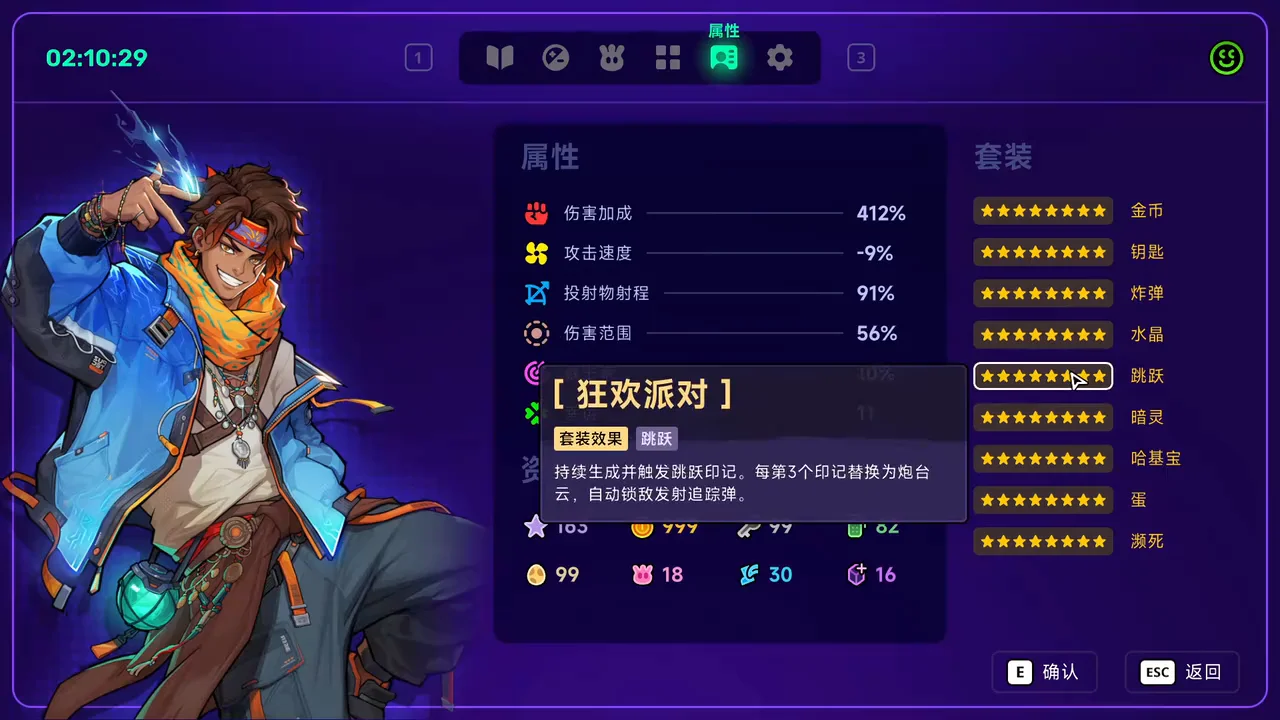
Move to the jumping row and inspect its tooltip. In this recorded state, it describes jump marks and replacing every third mark with a cloud turret that fires homing missiles. This is the visible bonus in the recorded collection, not a claim about every earlier set tier.
Switch to the four-square Items tab and inspect a particular item. The handmade picture book shown here carries both jumping and egg tags. Its tooltip also shows an extra-jump effect and an egg-pickup task with progress of 3/5. Those are this item’s details, separate from the set tooltip.
Inspect the equipped weapon before explaining a damage change with sets alone. The pictured level-9 dragon weapon has several resource-dependent modifier lines. These lines belong to this recorded weapon and loadout; their numbers should not be copied into a different run as base weapon stats.
At 00:48, the weapon information column exposes the loadout’s resource-dependent modifiers. Watch this frame at 0:48
Which set labels appear in the recording?
The right-hand column displays nine labels: 金币 (coins), 钥匙 (keys), 炸弹 (bombs), 水晶 (Crystals), 跳跃 (jumping), 暗灵 (wisps), 哈基宝 (Hatchmon), 蛋 (eggs), and 濒死 (Death’s Door). These English descriptions help you recognize the Chinese screenshots; they do not establish the official English names of every set bonus.
Use the selected tooltip to identify the action that matters for your build. A jumping effect requires a movement plan; an egg-related item may reward collecting eggs while another system spends them. The Faith guide explains that resource conflict, and the beginner guide covers the broader room and health budget.
What does this demonstration leave unverified?
The clip shows a late-run collection, not the order in which the sets were assembled. It does not show every activation threshold changing one item at a time, and it does not measure drop rates or controlled DPS. Treat the star display as a prompt to read your own tooltip. Do not infer an early-run breakpoint from a screenshot of the completed state.
For weapon effects, use the source-attributed weapon database and upgrade guide. Before describing a combination as reliable, record the game build, item names, set tooltip, weapon modifiers, and the resources present in that run.